One home for the whole family

RoofTree puts chores, meals, groceries, the calendar, money and care for grandparents in one cozy house your family shares. Kids earn acorns, decorate their rooms and help grow the family tree.

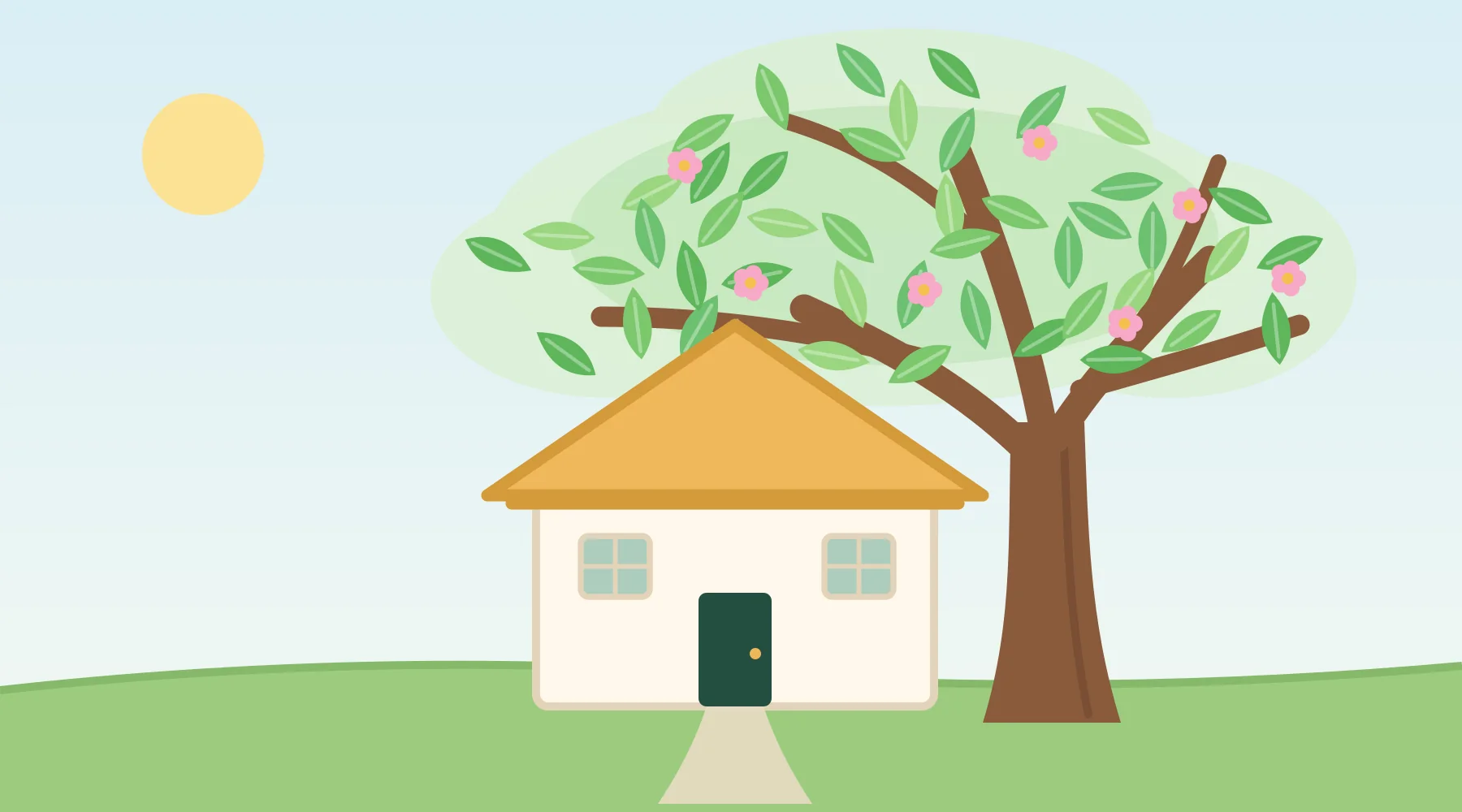
The RoofTree: a cartoon house under a big tree covered in leaves and pink blossoms
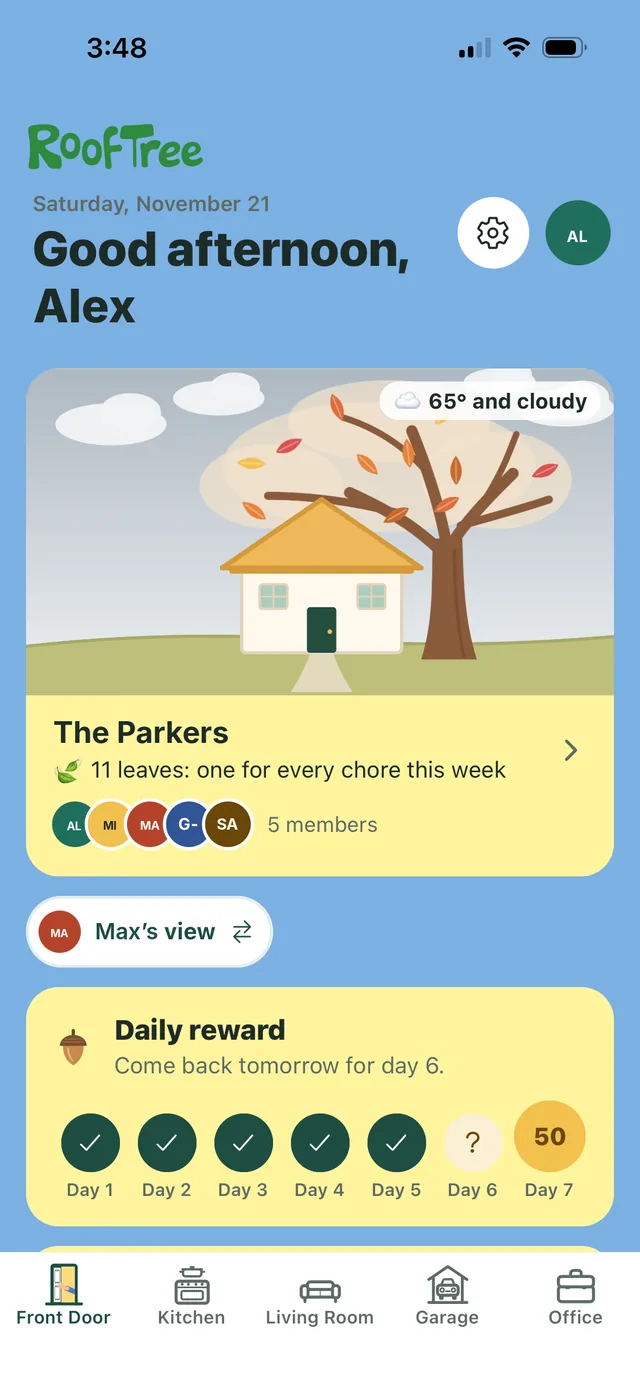
RoofTree's Front Door screen: the family's tree with today's weather, a leaf for every chore this week, and the daily reward
ParentsKidsGrandparentsCaretakersBabysitters

Walk through the house

RoofTree's bottom bar is the rooms of a home. Each room holds what happens there, so everyone knows where to look.

Front Door

Your family's day at a glance

  • The RoofTree grows a leaf for every chore done this week, blooms during a family streak and shows the real weather outside.
  • Today's plan, tonight's dinner and a quick family poll.
  • A daily reward for opening the app, and the week's Acorn deals.
  • Adults see the bills due this week.
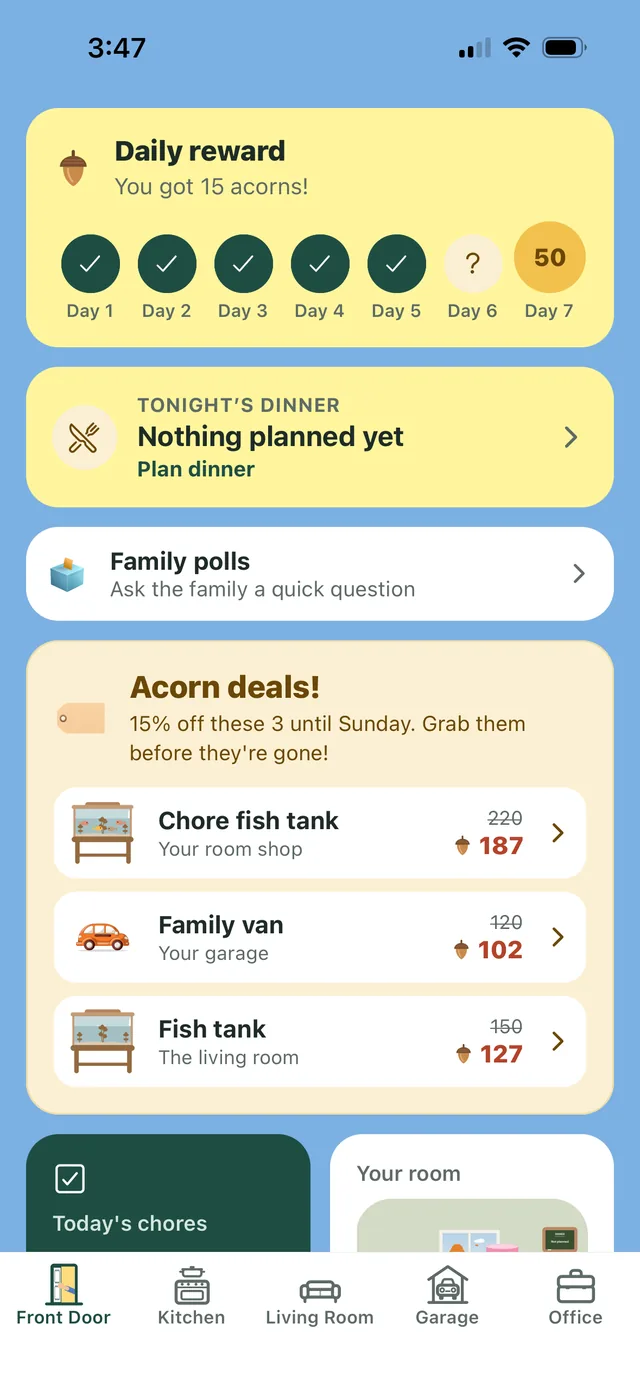
The Front Door with the daily reward, tonight's dinner, family polls and Acorn deals
Kitchen

Dinner planned, groceries done

  • Plan a week of dinners. Save recipes from a website link or by scanning a recipe card.
  • The grocery list fills itself from the meal plan, sorted by store aisle, live for everyone.
  • Scan a barcode, or say "Hey Siri, add to my RoofTree grocery list."
  • Scan a receipt and what you bought ticks off the list.
  • A private food tracker for adults, with calories, protein, carbs and fat.
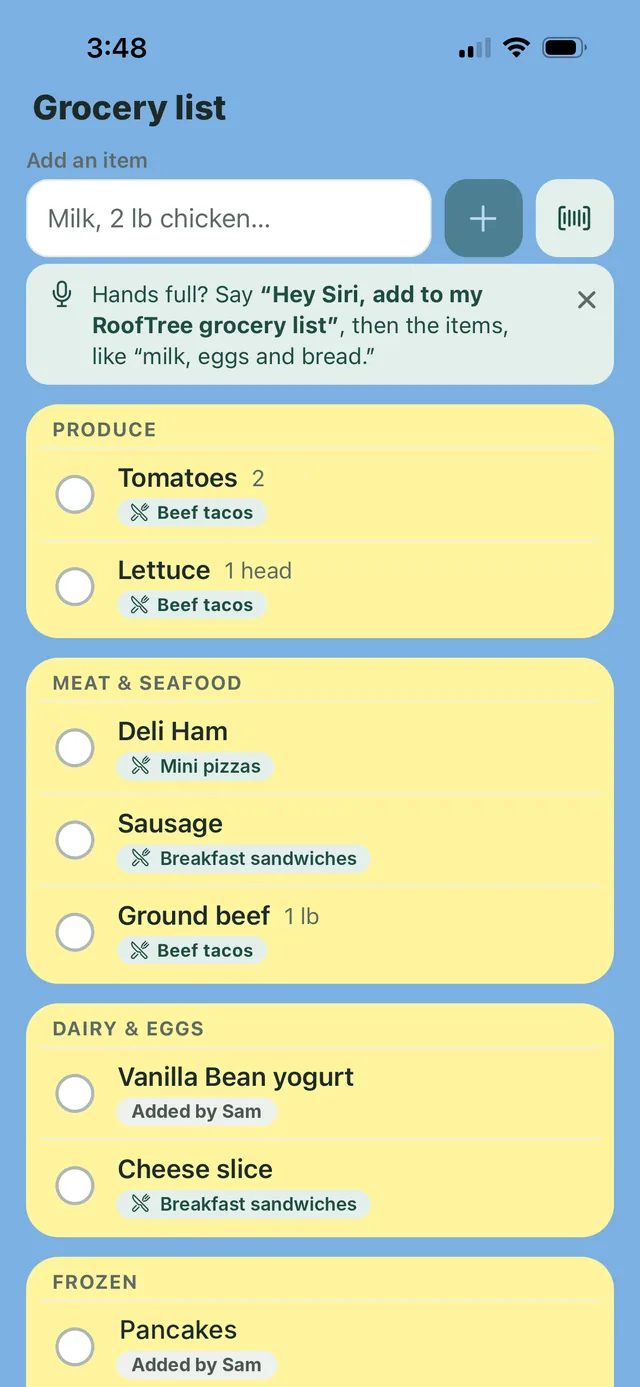
The grocery list grouped by produce, meat and dairy, with chips showing which dinner each item is for
Living Room

A room the whole family shares

  • Everyone decorates it together and chips in acorns for new things.
  • The chore chart, family photos, movie night and game night.
  • A family goal jar to save up for a treat, like date night or a trip.
  • It dresses up for the holidays and puts up balloons for birthdays.
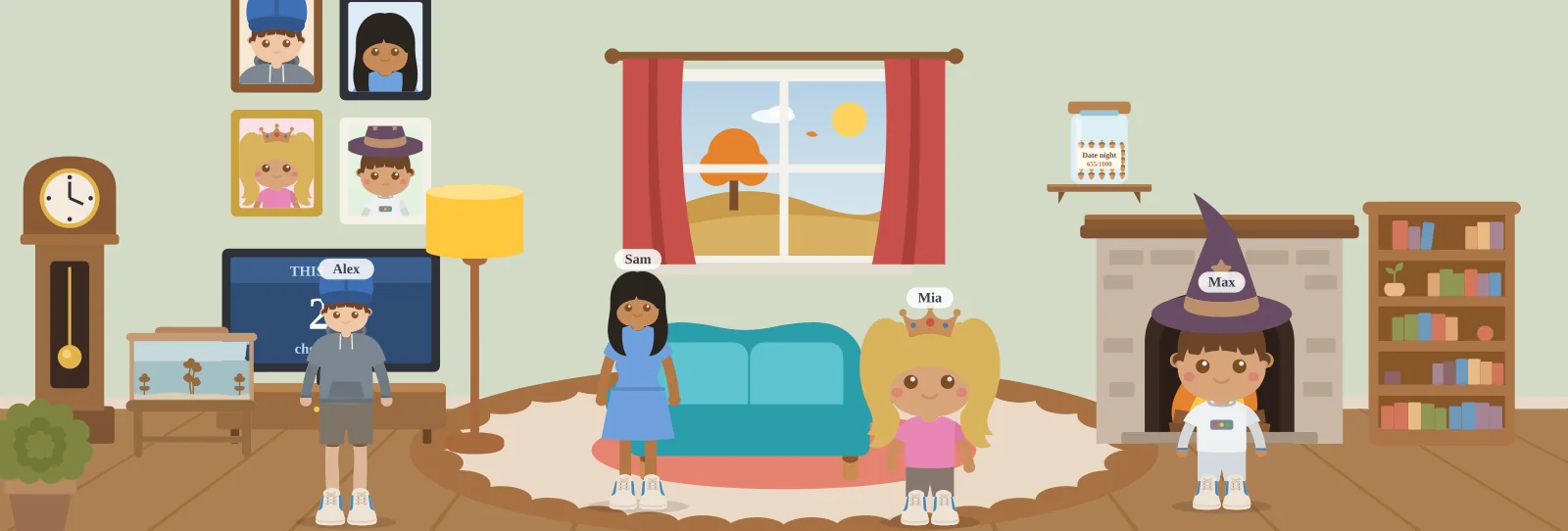
The shared living room with the family's avatars, a couch, TV, fireplace, fish tank and family photos
Garage and backyard

Collect, paint, plant and play

  • Collect cars with acorns and give them new paint jobs.
  • Plant a garden: every chore the family finishes waters it, and rainy days help too.
  • Save up for a swing set, a treehouse and toys for the pets.
  • The family's dogs, cats and bunnies play outside. Their vet visits are kept in the pet corner.
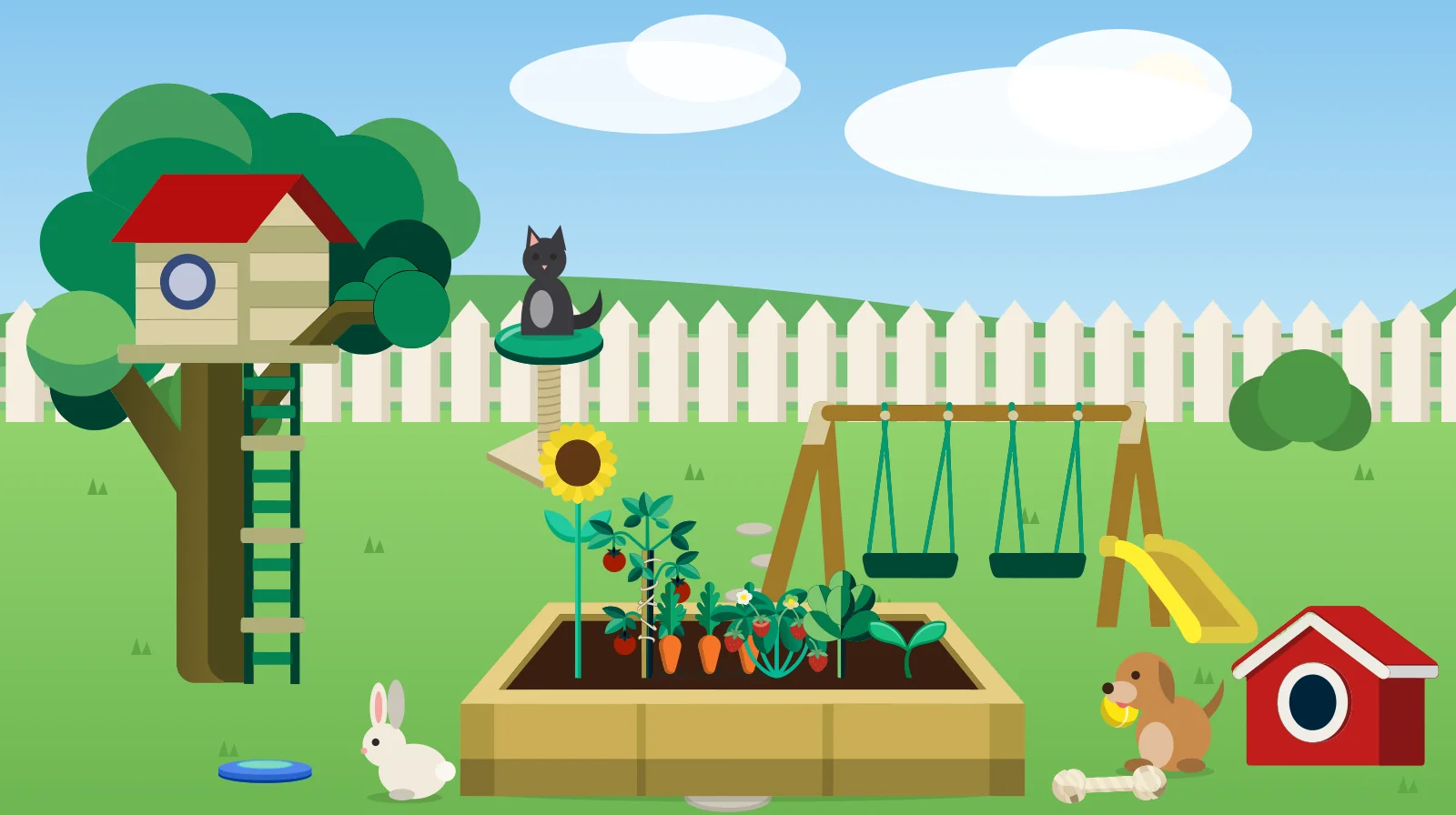
The backyard: a treehouse, a garden with sunflowers, tomatoes and carrots, a swing set, a doghouse and the family's pets
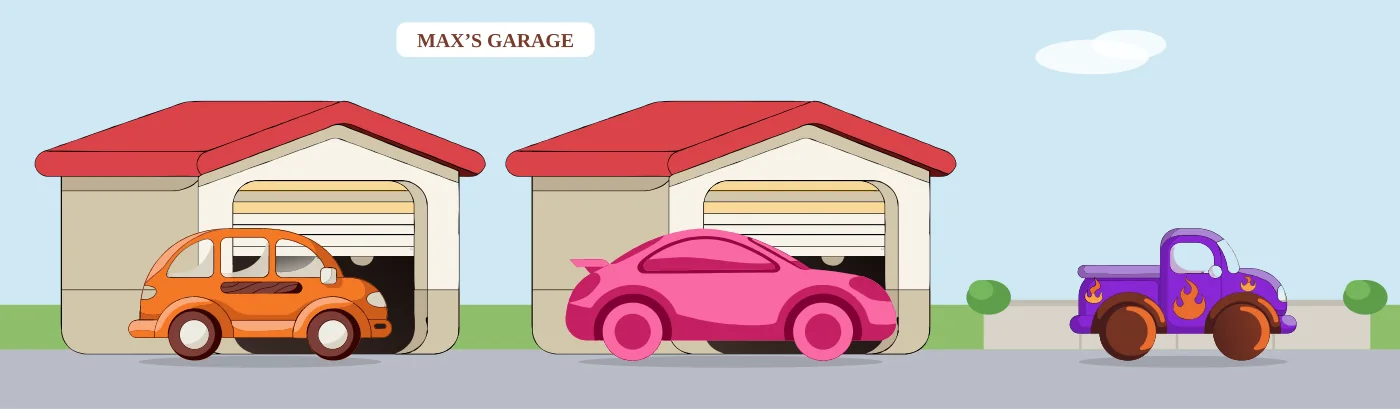
A two-car garage with an orange van, a pink sports car and a purple monster truck in the driveway
My Room and the Office

A room for every kid, an office for the grown-ups

  • Kids design their own avatar, with 26 hairstyles, hats and outfits, and decorate their room.
  • Morning and bedtime routines, and a sticker book of badges.
  • Picture mode lets little kids who can't read yet use pictures instead of words.
  • The Office keeps family money: receipts, bills with reminders, budgets and splitting costs between adults.
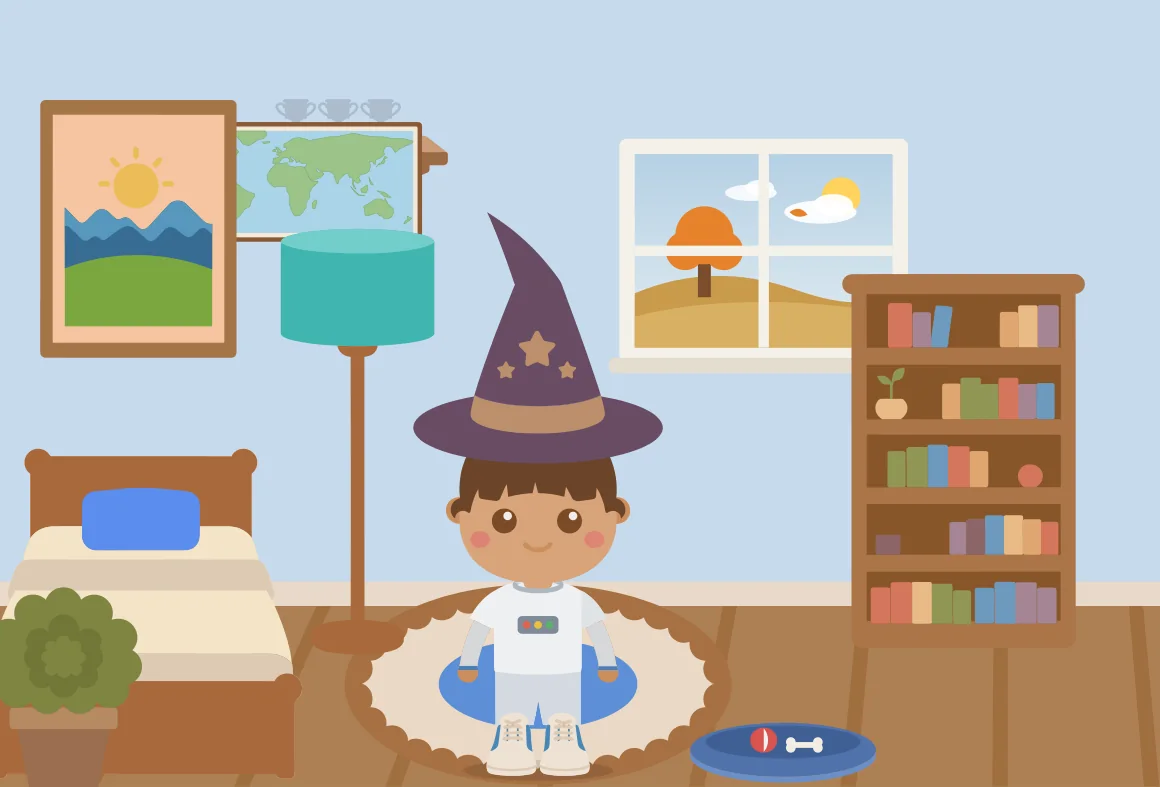
A kid's room with a wizard-hat avatar, a bed, a bookshelf, a lamp and a world map

Shortcuts that save you taps

RoofTree's rooms talk to each other, so one thing you do takes care of the next.

  1. Scan a store receiptwhat you bought ticks off the grocery list
  2. Plan a dinnerits ingredients go on the grocery list, marked with the dinner
  3. Save a recipeadd it to the grocery list in one tap
  4. Follow a team calendargame days add "Pack your cleats" to the kids' morning routine
  5. Add a billit shows up on the Front Door the week it's due
  6. Say "Hey Siri, add to my RoofTree grocery list"it's on the list, even with the phone locked
  7. Finish a chorea leaf grows on the RoofTree and the backyard garden gets watered

One calendar for the whole family

  • Everyone adds events, and everyone sees them on the Front Door.
  • Follow a school's or team's calendar link, and their events show up by themselves.
  • On game days, a step like "Pack your cleats" joins the kids' morning routine.
  • See the family calendar in the iPhone's own Calendar app with a private link.
  • Event reminders, and care appointments for the people helping grandma or grandpa.
Saturday
7:30Morning routineBrush teeth · Get dressed · Pack your cleats
9:00Soccer gameFrom the team's calendar
1:00Grandpa's eye doctorCare appointment
6:00Taco nightDinner from the meal plan

Sample calendar

Right on your home screen

RoofTree widgets show the day without opening the app. My day is free; the others come with Plus.

My day
  • Feed the dog 5
  • Empty the dishwasher 10
Dinner: Taco night
Grocery list
  • Apples
  • Bread
  • Milk
+4 more
Next up
  • Soccer practice
4:30 · Max
Acorns this week
  • Sam 101
  • Alex 42
  • Mia 6
Care today
  • Morning pills
8:00 · Grandpa

Sample widgets

Your family's home base

The little things every family keeps track of, all in one place.

Fridge notes

Leave a note for the family, like on a real fridge.

Height chart

Mark how tall the kids are getting.

Birthdays

Everyone's birthday, with balloons in the living room on the day.

Family map

Places you've been and want to go, marked "We went!"

Family cars

Reminders for oil changes, inspections and registration.

Pets

Feeding, walks and vet visits for every pet.

Bookshelf

Books each kid is reading and has read. Scan the barcode to add one.

Sitter note

Bedtimes, who to call and allergies, ready for any babysitter.

A home gym in the garage

Part of Plus. Fitness the whole family can do together.

  • Workout plans by level and goal, with a checklist for each workout.
  • Weekly goals for everyone, and kids' workouts can need an adult's OK.
  • A private food tracker for adults with calories, protein, carbs and fat.
  • A calorie goal helper whose math stays on your phone. Your height and weight are never saved.
Workouts this week
Alex
3 of 4
Sam
4 of 4
Mia
1 of 2

Sample goals

Chores that feel like a game

Every chore earns acorns. Kids save them for things in the app, or for real rewards their parents choose.

  • Kids tap "I did it" and a parent gives the OK. Confetti flies and acorns land in the bank.
  • A weekly acorn leaderboard, weekly family quests and a sticker book of badges.
  • Parents switch on real-life rewards for each kid: pick dinner, stay up 30 minutes later, a small toy.
  • Turn acorns into an allowance at a rate parents set, like 100 acorns for $1.
  • Chores can take turns between kids, so nobody gets stuck with dishes every night.
  • Adults earn acorns too, and can trade favors with each other.
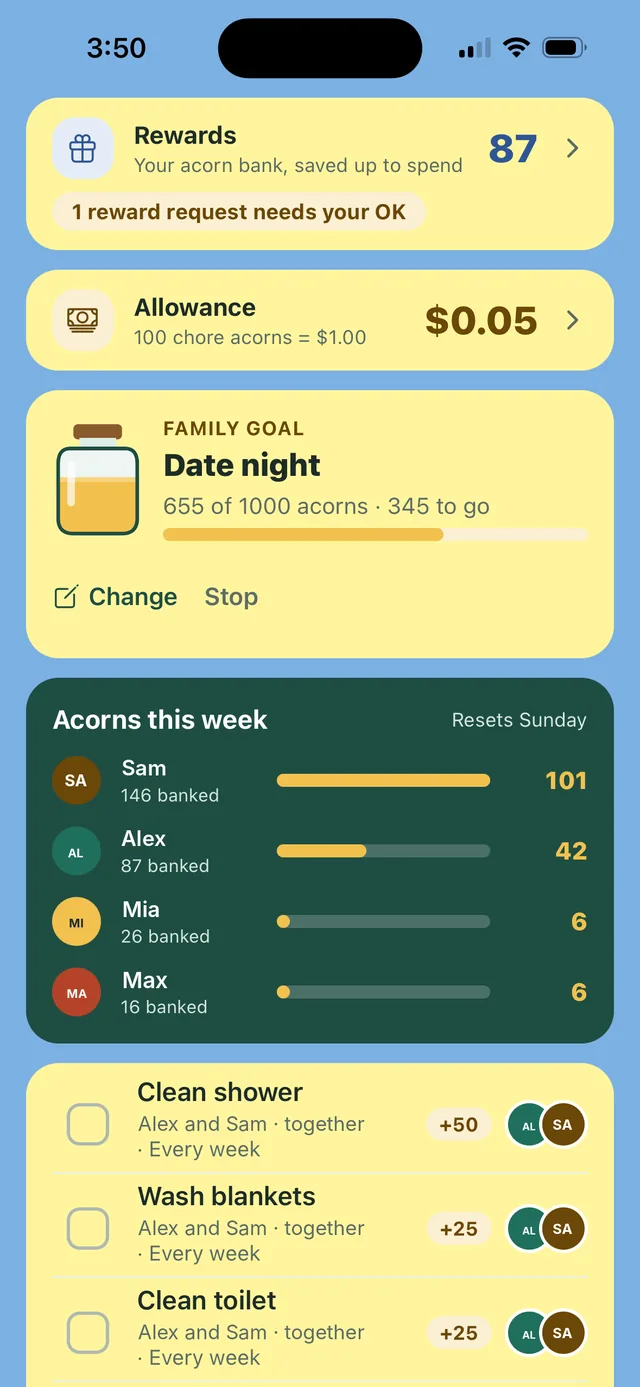
Acorns this week: each person's acorns and bank, a family goal jar and shared chores
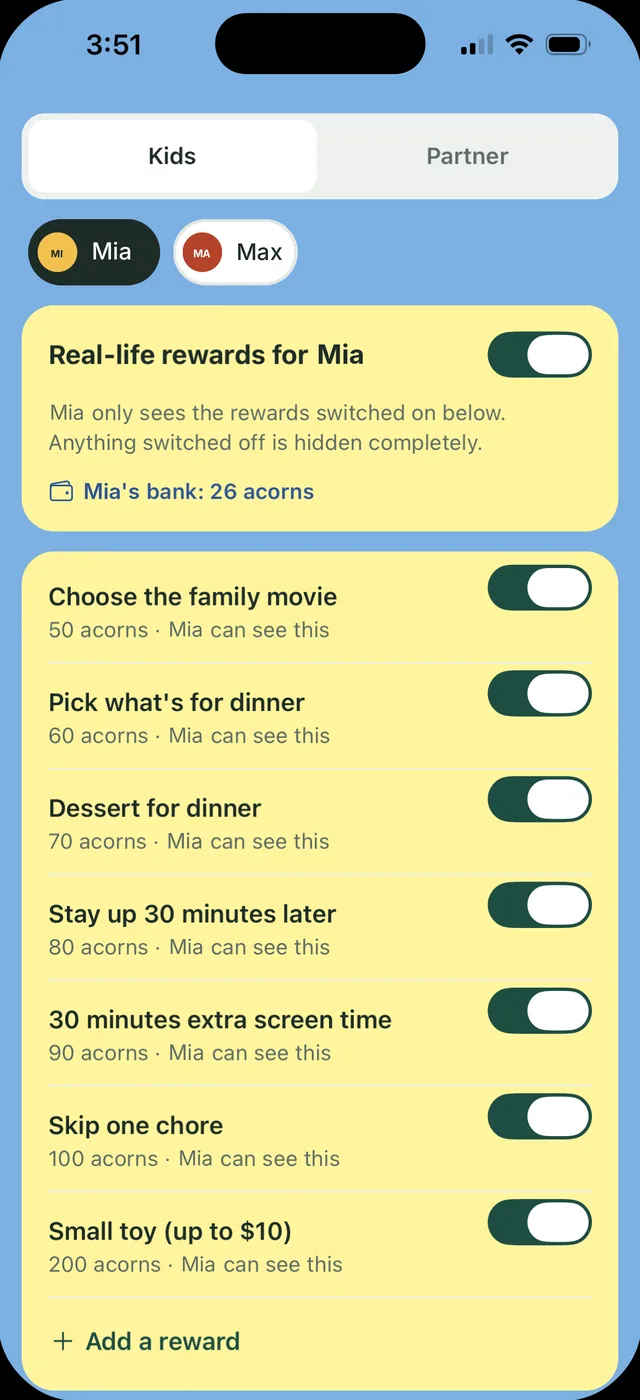
Real-life rewards a parent has switched on for a kid, with the acorns each costs

Parents stay in charge

Photo proof

Ask for a photo when a chore is done. Photos are deleted 7 days later.

Taking turns

A chore can rotate between kids, so it's fair.

Going away?

Pause chores and alerts while the family travels.

Picture mode

Big pictures and fewer words for kids who can't read yet.

What kids can do

Decide if kids can take photos, ask for rewards or add their own workouts.

Lock the living room

Only adults can rearrange it when it's locked.

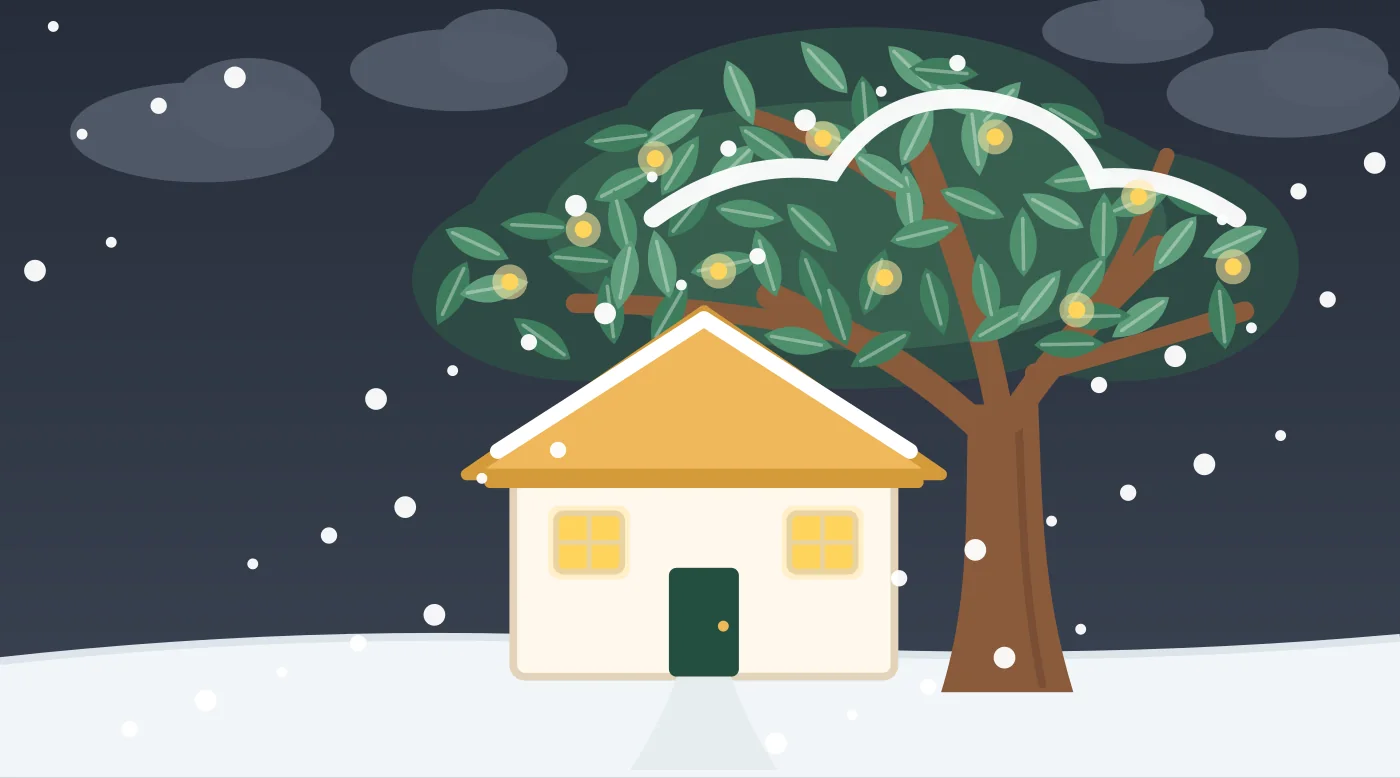
The RoofTree on a snowy night: stars, the moon, snow falling and the house windows glowing

Little moments that make it fun

  • Confetti and acorns flying into the bank when a chore gets its OK.
  • Avatars that wave hello and cheer.
  • Cars that drive into the garage.
  • Windows that show day, night, the season and the real weather.
  • A daily reward, a weekly family quest and a sticker book of badges.
  • "Our week": a look back at the family's week every Sunday.

Care for grandparents, and help from sitters

Care

  • Medicines and routines by time of day, and who checked each one off.
  • Care appointments show up on the family calendar.
  • A nurse, a relative or a neighbor can join with a code and see only Care.
  • A care log so everyone knows how the day went.
  • Babysitters get a code for the dates you pick. They see the kids' routines, chores and your notes, then send a "how tonight went" message.

Made safe for kids

  • Kids never see curse words. Words kids can see go through a kid-safe filter.
  • Kids never see family money, care or adults' food tracking.
  • Parents choose which rewards each kid can see and what kids can change.
  • Kids without a phone get a profile on a parent's phone.
  • RoofTree never uses your phone's location. The weather comes from a ZIP code an adult types in.

Free for every family, with Plus for more

Free
  • Chores, acorns and the leaderboard
  • Calendar, meals and the grocery list
  • Avatars, rooms, the living room, garage and backyard
  • Money, polls, photos and routines
Plus one purchase covers the whole family
$4.99 a month$39.99 a year$99.99 once
  • Care for grandparents and other loved ones
  • Fitness and the food tracker
  • Real-life rewards and partner favors
  • The shared recipe library and extra room items

Every family gets a 30-day free trial of everything, with no card needed. If Plus ends, nothing is deleted, and care reminders keep going. Plus opens when RoofTree launches on the App Store.

What's coming next

The App Store

RoofTree is being tested on iPhone now. The App Store launch comes next.

Android

An Android version is planned after the iPhone launch.

Apple Health

Steps and workouts from Apple Health, right in Fitness.

More Siri

Say "I spent $40 at the store" and it lands in Money.

One-tap scanning

Open the camera straight to a recipe card or a receipt.

Alexa

Add to the grocery list from your kitchen speaker.

A bigger backyard

A sandbox, a trampoline, a kiddie pool and more to save up for.

Seasonal surprises

New decorations for each holiday and season.

Try RoofTree before everyone else

RoofTree is in testing on iPhone. Want your family to help shape it? Send an email and say how many people are in your family.

support@rooftreeapp.com

Open the tester guide

QR code that opens rooftreeapp.com Share RoofTree Scan, or visit rooftreeapp.com

Tester guide

Where every feature is and what it does. Thank you for testing RoofTree!

Getting the newest update

Close RoofTree all the way (swipe it up from the app switcher) and open it again. Sometimes it takes twice.

Found a problem?

Email a screenshot and what you tapped to support@rooftreeapp.com.

Plus things

Marked Plus. Every family gets a 30-day free trial of everything.

Front Door12 featuresThe first tab. Your family's day, top to bottom.
FeatureWhere to find itWhat it does
The RoofTreeFront Door, at the topGrows a leaf for every chore the family finishes this week, blooms during a family streak, changes with the seasons and shows the real weather. Tap it to see the family.
A kid's viewAdultsFront Door, the button under the tree (like "Max's view")Use RoofTree as a kid who doesn't have a phone: their chores, room and acorns.
Our weekFront Door, on Sundays and MondaysLast week's chores, acorns and top helper, plus the busy days coming up.
Daily rewardFront DoorOpen the app each day for acorns and small prizes. Day 7 is the big one, and missing a day doesn't start it over.
RoutinesKidsFront Door and My RoomToday's morning or bedtime checklist. Finishing it earns acorns.
Bills dueAdultsFront DoorBills due this week, from Money.
Tonight's dinnerFront DoorWhat's for dinner tonight, or a button to plan it.
Family pollsFront Door, Family pollsAsk the family a question with 2 to 4 answers and everyone votes.
Acorn dealsFront Door and My RoomA few shop things 15% off each week, plus holiday sales.
Today's chores and your roomFront Door, the two tilesJump to your chores, or to your avatar and room.
Weekly questFront DoorA family challenge for the week. You can swap it for another.
Family calendarFront Door, the calendarAdd events for the family. School and team calendars you follow and care appointments show up here too.
Kitchen9 featuresMeals, recipes and groceries.
FeatureWhere to find itWhat it does
Meal planKitchen, MealsPlan dinners for the week and keep a list of pantry staples.
Grocery listKitchen, Grocery listOne live list for the whole family, sorted by store section. Items from the meal plan say which dinner they're for.
Barcode scannerGrocery list, the barcode buttonScan a package to add it to the list.
SiriSay "Hey Siri, add to my RoofTree grocery list"Then say the items, like "milk, eggs and bread." It can work while the phone is locked (Settings, This iPhone).
Scan a recipeKitchen, Scan a recipeRead a recipe card or cookbook page with the iPhone's text reader.
Recipe from a websiteKitchen, From a websitePaste a recipe link and RoofTree saves the recipe.
Recipe libraryPlusMeals, when you pick a dinnerStarter recipes and recipes other families chose to share.
Dinner table questionKitchenA fun question for the family to talk about at dinner.
Food trackerAdultsPlusKitchen, Food trackerPrivate for each adult: calories, protein, carbs and fat, a barcode scanner, and a calorie goal helper whose math stays on your phone.
Living Room8 featuresThe family room, chores and fun.
FeatureWhere to find itWhat it does
The family living roomLiving Room, the room picture at the topOne room everyone decorates together. Chip in acorns, start a wish, move things and people, share a picture of it, and wrap gifts at the holidays.
Living room switchesAdultsInside the living roomLock it so only adults change it, and choose whether elders and caretakers come in.
Chore chartLiving RoomEveryone's chores for today. See all, or add a chore.
CarePlusLiving Room, Care (once the family cares for someone)Medicines, appointments and visits for an older family member.
Movie nightLiving Room, Movie nightA family movie list to pick and vote on. Start movie night, then mark it watched.
Game nightLiving Room, Game nightKeep track of the family's games and who won, with a leaderboard.
Family photosLiving Room, Family photosA shared album with photos from chores, pets, recipes and more, with captions.
BackyardLiving Room, Backyard (also in the Garage)The family garden and things to play on. See the Garage.
Chores and rewards13 featuresFrom the chore chart in the Living Room (See all), or Today's chores on the Front Door.
FeatureWhere to find itWhat it does
I did itKidsChores, on each choreKids tap I did it, and an adult gives the OK or sends it back. Acorns land when it's OK'd.
Add or change a choreAdultsChores, Add a choreWho does it, how many acorns, how often it repeats, and taking turns between people.
Photo proofAdultsWhen adding a chore, Ask for a photoAsk for a photo to show it's done. Chore photos are deleted 7 days after the OK.
Chore ideasAdultsChores, Need ideas?Pick from a list of starter chores instead of typing them.
Going away?AdultsChores, Going away?Pause chores and alerts while the family is away.
Picture modeAdultsOffice, Family members, a kidFor little kids who can't read yet: big pictures and fewer words.
Acorns this weekChoresThe weekly acorn leaderboard. It starts over on Sunday.
Family goalChores, Family goalSave acorns together for something big, like date night.
RewardsPlusOffice, Rewards (adults) or My Room, Rewards (kids)Real-life rewards like picking dinner. Kids ask, an adult says yes. Adults choose which rewards each kid sees.
Partner rewardsAdultsPlusRewards, PartnerAdults in the family trade favors for acorns.
AllowanceAdultsOffice, AllowanceTurn chore acorns into allowance at your own rate, and record what you've paid.
Family bonusAdultsSettings, FamilyBonus acorns for the whole family: how big, and how it's shared.
Sticker bookMy Room, Sticker bookStickers and badges you've earned.
Garage6 featuresCars, the home gym and the backyard.
FeatureWhere to find itWhat it does
Your garageGarage, at the topCollect cars with acorns, give them paint jobs, and watch them drive in.
Home gymPlusGarage, Home gymWorkouts with checklists, workout plans by level and goal, and weekly goals. Kids' workouts can need an adult's OK.
Family carsGarage, Family carsReminders for oil changes, inspections, registration and more. Log the miles.
BackyardGarage, BackyardBuy seed packets and every chore the family finishes waters the garden (rain helps too). Pick what's grown, and save up for a swing set, a treehouse and pet toys.
PetsGarage, PetsEach pet's feeding, walks and vet visits. Dogs, cats and bunnies play in the backyard.
Family mapGarage, Family mapPlaces you've been and want to go. Tap the map to add one, then mark "We went!"
Office9 featuresFor adults. Kids get My Room here instead.
FeatureWhere to find itWhat it does
MoneyAdultsOffice, MoneyReceipts (scan or type), bills with reminders, monthly budgets by kind, and splitting costs between adults. Receipt photos are kept for a year.
Scan a receiptAdultsOffice, Scan a receiptReads the receipt on your phone, and ticks off what you bought on the grocery list.
Add a billAdultsOffice, Add a billA bill that repeats, with a reminder before it's due.
Kids' routinesAdultsOffice, Kids' routinesSet up morning and bedtime checklists, and how many acorns finishing earns.
School and team calendarsAdultsOffice, School and team calendarsFollow a school's or team's calendar link. Add a step to the kids' routines on event days, like "Pack your cleats."
BabysittersAdultsOffice, BabysittersThe sitter note (who to call, bedtimes, good to know, allergies and medicines) and sitter codes for the dates you pick.
Set up careAdultsPlusOffice, Care for an older family memberAdd an elder, their medicines and appointments, and invite caretakers.
Family membersAdultsOffice, Family membersInvite adults, kids, elders and caretakers, add someone without a phone, and set birthdays and picture mode.
SettingsOffice, Settings (or the gear on the Front Door)See Settings below.
My Room6 featuresFor kids. Adults open their room from Your room on the Front Door.
FeatureWhere to find itWhat it does
Avatar and roomMy Room, Decorate my roomPick a look (26 hairstyles, hats and outfits), buy things for your room, move them around and share a picture.
RewardsKidsMy Room, RewardsSpend acorns, or ask for a real-life reward.
My choresKidsMy Room, My choresYour chores. The full chart is in the Living Room.
Height chartMy Room, Height chartMarks for how tall you're getting.
My fridgeMy Room, My fridgeLeave notes for the family on the fridge.
My bookshelfMy Room, My bookshelfBooks you're reading and have read. Scan the barcode on the back to add one.
Care5 featuresFor families caring for a parent or grandparent.
FeatureWhere to find itWhat it does
Medicines and routinesPlusCareEach medicine, dose and time, and who checked it off. Reminders go to the people helping.
AppointmentsPlusCare, Add appointmentCare appointments, also on the family calendar.
Care logPlusCare, Care logNotes about how the day went.
CaretakersPlusOffice, Family members, Invite a caretakerA nurse, relative or neighbor joins with a code and sees only Care and the calendar.
EldersOffice, Family members, Invite an elderAn elder with their own login sees their own care, and the living room if the family allows it.
Settings10 featuresOffice, Settings, or the gear at the top of the Front Door.
FeatureWhere to find itWhat it does
Weather in the windowsAdultsSettings, Weather in the windowsType the family's ZIP code so the windows, the RoofTree and the backyard show the real weather.
Calendar on your iPhoneAdultsSettings, CalendarA private link that shows the family calendar in the iPhone's Calendar app.
This iPhoneSettings, This iPhoneVibrations, and Siri while the phone is locked.
Your colorsSettings, Your colorsPick your background and bubble colors.
AlertsSettingsChoose which alerts you get, like event reminders and shop sales.
What kids can doAdultsSettings, What kids can doWhether kids can take photos, ask for real-life rewards and make their own workouts, and which rewards each kid sees.
Babysitting for another familySettings, Babysitting for another familyType the sitter code another family gave you.
Help and privacySettings, Help and privacyContact support, and read the privacy policy.
Your accountSettings, Your accountLeave this family, or delete your account.
Tester toolsSettings, Tester toolsPreview RoofTree as a free family, or hide the tools.
iPhone extras3 featuresOutside the app.
FeatureWhere to find itWhat it does
Home screen widgetsPress and hold your home screen, tap Edit, then Add Widget, and find RoofTreeMy day is free. Grocery list, Acorns this week, Care today and Next up come with Plus.
Siri"Hey Siri, add to my RoofTree grocery list"Adds to the grocery list without opening the app.
AlertsAllow notifications when RoofTree asksChores to OK, reminders, bills, care, wishes the family filled and plants ready to pick.

Who sees what

  • Adults: Everything, including the Office: money, bills, family settings and care.
  • Kids: My Room instead of the Office. Never money, care or adults' food tracking, and only the rewards an adult switched on.
  • Elders: Their own care if they have a login, and the living room if the family allows it.
  • Caretakers: Care and the calendar only, and the living room if the family allows it.
  • Babysitters: For the dates they're given: the kids' first names, routines, chores, today's meals and the sitter note.

Things to try this week

  • Add your ZIP code in Settings, then look out the windows.
  • Plant seeds in the backyard, finish a chore, and watch them grow.
  • Have a kid tap "I did it" on a chore, then give the OK.
  • Scan a recipe card, or paste a recipe link, and add it to the grocery list.
  • Scan a store receipt in the Office and see the grocery list tick off.
  • Start a wish in the living room and have someone chip in.
  • Follow a school or team calendar link and add a routine step for event days.
  • Add the "My day" widget to your home screen.